

What Is Thermal Throttling in Power Bank Safety and Performance

Heat is one of those things you usually don't think about until your device suddenly starts charging slower, your laptop performance drops, or your power bank seems to lose some of its charging muscle. It can be tempting to assume something is broken. In many cases, however, the slowdown is actually your hardware doing exactly what it was designed to do.
This protective safety feature is known as thermal throttling. It allows electronic devices to reduce their performance or power output when temperatures become too high, helping prevent excessive heat from damaging sensitive components. Thermal throttling can happen in smartphones, laptops, tablets, chargers, and power banks. For portable chargers in particular, understanding this behavior is important for power bank safety, as controlled power reduction can help keep excessive heat from turning into a more serious problem.
So, what is thermal throttling, exactly? Why does it happen, and how does it affect power bank performance, charging speed, and battery health? Understanding the answers can help you tell the difference between a genuine hardware issue and a normal protective response. Let’s break it all down and see why sometimes, slower charging is actually a good thing.
Let’s get started!
What Is Thermal Throttling and Why Does It Happen?
At its simplest, thermal throttling is an automatic reduction in performance, power consumption, charging speed, or output when an electronic device becomes too hot.
Modern electronics generate heat whenever electricity moves through their components. Higher charging power generally means more electrical energy is being handled, and some of that energy is inevitably converted into heat. Under normal conditions, the device manages this heat through passive cooling, heat dissipation, software controls, or a combination of these methods.
When temperatures approach a predefined safety threshold, the system can step in and reduce the amount of power being processed. Think of it as an electronic version of easing off the accelerator when the engine starts running hot.
How Thermal Throttling Works
Heat throttling relies on temperature sensors and control circuitry to monitor heat-producing components. Depending on the device, sensors may monitor areas such as the battery, processor, charging circuitry, voltage regulators, or other internal components.
When the temperature rises beyond a safe operating range, the device can respond by reducing power. That response may look different depending on the hardware.
Reducing Charging Speed
A smartphone connected to a high-output power bank may initially charge at a fast rate. If the phone, cable, power bank, or charging circuitry becomes too warm, charging power may be reduced.
For example, a system that was accepting high-power charging may temporarily step down to a lower power level. To the user, this can look like the power bank has suddenly become slower. In reality, the system may simply be managing temperature.
Reducing Power Output
Power banks can also regulate their output when internal temperatures increase. A portable charger delivering power to a demanding laptop or several devices at once may generate substantially more heat than when charging a single smartphone.
If temperatures rise too far, the power management system can reduce output or temporarily interrupt charging until conditions improve.
Reducing Processing Performance
Thermal throttling isn't limited to charging. Smartphones, tablets, and laptops can reduce processor performance when their internal temperatures become excessive. This may result in slower application performance, lower gaming frame rates, reduced processing speeds, or other noticeable changes.
The same basic principle applies: sacrifice some performance now to avoid potentially more serious thermal problems later.
What Triggers Thermal Throttling?
Several factors can cause a device or power bank to reach the temperature range where thermal throttling becomes necessary. Understanding what is thermal throttling also means knowing what conditions can trigger this protective response.
1. High Charging Power
Fast charging is convenient, but higher power levels can produce more heat.
Power banks supporting high-output USB-C Power Delivery, for example, may experience increased thermal loads when operating near their maximum rated output. This is especially noticeable when charging larger devices such as laptops.
2. Multiple Devices Charging at Once
A power bank doesn't necessarily generate the same amount of heat when charging one device versus several.
Connecting a smartphone, tablet, wireless earbuds, or other devices simultaneously can increase the electrical workload. If the power bank is operating close to its limits, its internal temperature can rise faster.
3. High Ambient Temperature
The environment matters, too. A power bank sitting in a hot car, direct sunlight, or an enclosed bag has fewer opportunities to dissipate heat. Starting with a high ambient temperature means the device has less thermal headroom before protective controls become necessary.
4. Poor Heat Dissipation
A power bank surrounded by clothing, blankets, or other insulating materials may struggle to release heat.
Even a well-designed portable charger needs some airflow and exposed surface area to dissipate heat. Covering it while charging can effectively turn that convenient little battery pack into a pocket-sized sauna.
Impact of Thermal Throttling in Power Banks: Safety vs. Performance
Thermal throttling becomes especially important in power banks because they contain lithium-ion or lithium-polymer battery cells along with charging and power-conversion electronics. These components have operating temperature limits.
Excessive heat can accelerate battery degradation and, under severe conditions, contribute to dangerous battery failure. For this reason, thermal management is an important part of modern power bank design.
Why Power Banks Need Thermal Protection
A power bank doesn't simply store electricity and release it through a USB port. Inside the enclosure are battery cells, charging circuits, voltage regulators, protection circuitry, and other components that work together to convert and deliver electrical power. Every conversion process produces some heat.
When the power bank is handling substantial electrical loads, the internal temperature can rise. Thermal monitoring and power management systems can respond by adjusting output or stopping operation if necessary. This is where heat throttling becomes a safety feature rather than an annoyance.
Preventing Excessive Heat
The primary goal is to keep components within their intended operating temperature range. By reducing power when temperatures become elevated, the system can limit additional heat generation. This can help prevent thermal stress from continuing to build.
Protecting Battery Health
Repeated exposure to high temperatures can accelerate battery aging. Heat can contribute to faster capacity loss and reduced long-term battery health and performance.
Thermal throttling doesn't magically prevent battery degradation, but reducing excessive thermal stress can support healthier operation over the battery's usable life.
Protecting Internal Electronics
Power-management components also have thermal limits. Excessive temperatures can affect charging controllers, voltage regulators, processors, and other circuitry.
Thermal protection helps reduce the likelihood that these components will be pushed beyond their intended operating conditions.
Why Your Power Bank May Suddenly Charge More Slowly
One of the biggest sources of confusion is the difference between reduced performance caused by thermal throttling and an actual malfunction.
Suppose your power bank charges your phone rapidly for the first 20 minutes and then slows down. That doesn't automatically mean the power bank is defective. Several normal factors could explain the change.
1. Temperature Increase During Charging
As charging continues, heat can accumulate inside both the power bank and the device being charged. Once temperatures reach a certain level, either device may reduce charging power. In some cases, both can independently adjust their charging behavior.
2. Battery Charge Level
Charging speed can also naturally decrease as a battery approaches a higher state of charge. Modern charging systems commonly use different charging phases rather than delivering maximum power from zero to 100 percent. This means a slower charging rate near the end of a charging cycle isn't necessarily thermal throttling at all.
3. Cable and Charger Limitations
The cable, device, and power bank all influence charging performance. A cable that doesn't support the required power level, a device with a lower charging limit, or an incompatible charging protocol can result in lower power delivery. Not every charging slowdown is caused by temperature.
Thermal Throttling vs. Thermal Shutdown
Thermal throttling and thermal shutdown are related, but they aren't the same thing.
- Thermal throttling generally means reducing performance or power to control temperature. The device continues operating, although at a lower level.
- Thermal shutdown is more aggressive. If temperatures continue rising or reach a critical threshold, the system may stop charging or shut itself down to prevent further thermal stress.
In other words, throttling is often the system saying, "Let's slow this down." Shutdown is closer to, "We're done until this cools off." Both are protective mechanisms.
Power Bank Safety: How to Manage Heat for Safer Power Bank Use
Thermal throttling is useful, but users can also take practical steps to reduce unnecessary heat in the first place.
Good thermal management isn't about obsessively keeping a power bank cold. It's about avoiding conditions that force the device to operate under excessive thermal stress.
Tip 1: Keep the Power Bank Properly Ventilated
Avoid charging a power bank under pillows, blankets, clothing, or other materials that trap heat.
When charging, place it on a hard, stable surface where heat can dissipate naturally. Avoid leaving it inside a tightly packed bag while handling a high-power load whenever possible. Good ventilation supports power bank safety by helping prevent excessive heat buildup.
Tip 2: Avoid Extreme Temperatures
Don't leave power banks in direct sunlight or inside hot vehicles.
- High ambient temperatures make it harder for internal components to shed heat. A power bank already operating in a hot environment has less thermal headroom available for demanding charging tasks.
- Cold temperatures can also affect battery performance, so the goal isn't simply to keep the device as cold as possible. Normal, moderate operating conditions are preferable.
Tip 3: Reduce the Load When Necessary
If a power bank becomes noticeably hot while charging several devices, reducing the workload can help.
Disconnect devices that don't need immediate charging, avoid combining multiple high-power loads unnecessarily, and give the power bank time to cool down when appropriate.
- High-Power Laptop Charging - Laptop charging can place considerably more demand on a power bank than smartphone charging. If the power bank supports USB-C Power Delivery but becomes very warm while operating near its maximum output, allowing it to cool periodically can help manage thermal stress.
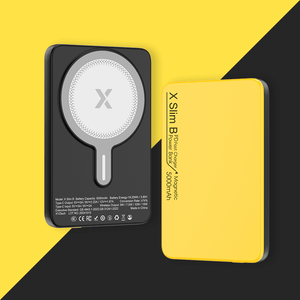
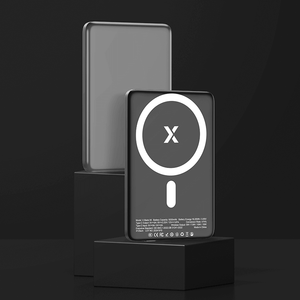
- Wireless Charging - Wireless charging can also generate additional heat because power is transferred through electromagnetic induction rather than a direct wired connection. If a power bank supports wireless charging, keeping the phone properly aligned and avoiding unnecessary heat buildup can help maintain more consistent performance.
Tip 4: Don't Ignore Unusual Heat
Some warmth during charging is normal. Excessive, persistent, or unusual heat is a different matter.
If a power bank becomes extremely hot, develops an unusual smell, swells, leaks, behaves erratically, or repeatedly shuts down because of temperature, stop using it and inspect it for damage.
Heat throttling is intended to protect hardware. It shouldn't be treated as permission to continue using a power bank that is showing obvious signs of battery failure.
Tip 5: Choose Power Banks With Proper Thermal Management
When purchasing a power bank, don't focus exclusively on capacity and maximum wattage. Look for products with appropriate protection circuitry, temperature monitoring, reputable construction, and clearly specified power ratings. Some newer models may also incorporate more advanced thermal management approaches, including improved heat dissipation or active cooling technology.
The goal isn't simply to find the power bank with the biggest number on the box. A well-managed system should be able to deliver its rated performance while controlling heat under realistic operating conditions.

Final Thoughts
Thermal throttling may feel like an annoying slowdown, but it is often a built-in response to excessive heat. In power banks, reducing charging speed or output can help protect internal components and maintain safer operating temperatures.
Understanding what is thermal throttling makes these slowdowns easier to recognize. Instead of assuming your power bank is failing, consider temperature, workload, charging conditions, and ventilation first.
For better power bank safety, avoid extreme temperatures, excessive loads, and poor ventilation, and pay attention to unusual or persistent overheating. A temporary drop in speed is often a worthwhile trade-off for safer, more reliable charging.
Frequently Asked Questions
Q: How long does thermal throttling usually last?
There is no fixed duration because it depends on how quickly the power bank or device cools down. Charging performance may return to normal once temperatures fall back within the appropriate operating range.
Q: Does a larger power bank generate less heat?
Not necessarily. Physical size and battery capacity don't automatically determine thermal performance; factors such as power output, circuit efficiency, cooling design, and workload also influence how much heat is generated.
Q: Can I disable thermal throttling on my power bank to get faster charging?
No, and you shouldn't try. Thermal throttling is a hard-coded safety function managed by the battery management system, not a user-adjustable setting. Attempting to bypass it—through modified firmware or unofficial apps—risks overheating, battery damage, or even fire.


