

Why Is My Phone Hot? Causes, Fixes, and How to Keep It Cool

You’re just scrolling through Instagram on Wi-Fi, replying to a few messages, maybe watching a short video, and then you notice it. Your phone starts to feel warm… then noticeably hot. That’s when the question hits: why is my phone hot even when I’m barely doing anything?
This kind of situation can feel confusing, especially if it happens during simple tasks. Some users even compare devices and notice one phone heats up faster than another. The truth is, phones can heat up for several reasons—and not all of them mean something is broken.
Let’s walk through why does my phone get hot, what’s normal, what’s not, and what you can actually do about it.
In this blog:
- Understanding Why Is My Phone Hot and Why Does My Phone Get Hot
- Common Causes of Why Is My Phone Hot (and How to Fix Them)
- Quick Ways to Cool Down Your Phone
- How to Prevent Why Does My Phone Get Hot in the Future
- When to Be Concerned (and Consider Replacement)
- Frequently Asked Questions
- So, Why Is My Phone Hot? A Quick Recap.
Let’s get started!
Why Is My Phone Hot? What’s Really Happening
All phones generate heat, it’s part of how they work. Your processor, battery, and network components are constantly active, even during simple tasks.
But here’s the key difference:
- Warm = normal
-
Hot = something needs attention
Your phone may feel warm when:
- Charging
- Watching videos
- Using apps for a long time
That’s expected! Every time you open an app, stream a video, or even scroll through social media, your phone’s processor (CPU) is working. That work creates heat, just like a laptop or gaming console.
But when that heat becomes noticeable or uncomfortable, it usually means:
- The phone is working harder than it should
- Something is running in the background
- Or external factors are making it worse
That’s when people start noticing signs of phone overheat or asking why is my phone overheating even during light use.
Common Causes of Why Is My Phone Hot (and How to Fix Them)
Let’s break this down clearly so you can identify what’s happening on your device.
1. Background Apps That Won’t Fully Stop
What’s happening
Some apps (especially Instagram and app stores) continue running—even after you restrict them.
Why it happens
They refresh content, sync data, or run hidden processes. In some cases, system or app updates cause them to ignore restrictions.
Why it matters
This is one of the biggest reasons people experience heat during simple tasks:
- CPU keeps working in the background
- Battery drains faster
- Heat builds up without obvious cause
How to fix it
For Android:
- Go to Settings > Battery > Battery Usage
- Check if apps like Instagram or Play Store are active for long periods
- Set them to “Restricted”
- Force stop them when not in use (temporary fix)
- Restart your phone
For iPhone (Why Is My iPhone Hot fix):
- Go to Settings > Battery
- Check app activity
- Turn off Background App Refresh
- Limit location access for apps
Note: Force-stopping apps can help temporarily, but if the issue keeps coming back, it may be due to app behavior or system bugs.
2. “Stacking Tasks” (Multitasking Overload)
What’s happening
Your phone is doing multiple things at once, even if you don’t notice.
Why it happens
Examples:
- Updating apps
- Syncing data
- Scrolling social media
- Running background services
Why it matters
Even light activities can combine into a heavy workload, which explains why does my phone get hot unexpectedly.
How to fix it
For both Android and iPhone:
- Avoid multitasking during updates
- Let updates finish before using your phone heavily
- Close unused apps
3. Heavy or Poorly Optimized Apps
What’s happening
Certain apps cause heat even during basic use.
Why it happens
They may be poorly optimized or have bugs after updates.
Why it matters
This is a common reason for android phone getting hot or sudden heating on iPhones.
How to fix it
For Android:
- Update or reinstall apps
- Clear cache
For iPhone:
- Update apps
- Reinstall problematic apps
4. Weak Signal and Network Strain (Especially 5G)
What’s happening
Your phone heats up more when signal is weak.
Why it happens
It constantly searches for a better connection.
Why it matters
This is a major but often overlooked cause of why is my phone overheating, especially when traveling or in low-signal areas.
How to fix it
For Android:
- Turn off 5G if signal is unstable
- Switch to Wi-Fi
- Use Airplane Mode when needed
For iPhone:
- Go to Settings > Cellular > Voice & Data
- Switch to LTE
- Use Airplane Mode in poor coverage
5. Charging Habits and Power Source (Including Power Banks)
What’s happening
Your phone gets hot while charging.
Why it happens
- Fast charging generates more heat
- Low-quality cables or chargers create instability
- Poor power sources increase temperature
Why it matters
Charging heat can shorten battery lifespan over time.
How to fix it
For Android:
- Turn off fast charging if overheating occurs
- Use certified chargers
For iPhone:
- Avoid charging in hot environments
- Use Apple-certified accessories
Power banks: good or bad?
A high-quality power bank can be safe and convenient.
But a poor-quality one can:
- Cause unstable charging
- Increase heat
A good power bank should have:
- Temperature control
- Stable power output
- Safety protections
Tip: Slower, stable charging often produces less heat than fast charging.
6. Poor Ventilation and Environment
What’s happening
Heat gets trapped inside your phone.
Why it happens
- Thick cases
- Soft surfaces (beds, couches)
- Hot weather or direct sunlight
Why it matters
Even normal heat becomes excessive when it can’t escape.
How to fix it
For both Android and iPhone:
- Remove your case
- Avoid direct sunlight
- Use your phone on flat surfaces
- Keep it in cooler environments
7. Battery Aging or Hardware Issues
What’s happening
Older batteries heat up more easily.
Why it happens
They become less efficient over time.
Why it matters
This can lead to:
- Constant overheating
- Fast battery drain
- Safety risks
How to fix it
For Android:
- Monitor battery performance
- Replace battery if needed
For iPhone:
- Go to Settings > Battery > Battery Health
- Replace battery if degraded
8. Software Bugs or Updates
What’s happening
Your phone heats up after updates.
Why it happens
System or app bugs may increase background activity.
Why it matters
This is a common cause of why is my phone overheating after updates.
How to fix it
For Android:
- Restart device
- Install updates
- Reset app preferences
For iPhone:
- Restart device
- Update iOS
- Reset settings if needed
9. First-Day Setup or Heavy Downloads
What’s happening
Your new phone heats up during setup.
Why it happens
- Installing apps
- Syncing data
- System optimization
Why it matters
This is normal and temporary.
How to fix it
- Let the phone finish setup
- Avoid heavy use during this time
10. Device Design and Chipset Differences
What’s happening
Some phones naturally run warmer.
Why it happens
Different processors handle heat differently.
Why it matters
This explains why some users notice:
- One phone stays cool
- Another gets warm quickly
What to know
This doesn’t always mean your phone is faulty; it may simply manage heat differently.
Quick Ways to Cool Down Your Phone
If your phone is already hot, these steps help reduce heat quickly by lowering internal activity and improving heat release:
- Stop charging immediately. When your phone is already warm, continuing to charge adds even more heat, which can push it into overheating.
- Close all running apps. Every open app uses processing power, even in the background. Closing them reduces the workload on your processor, allowing it to slow down and generate less heat.
- Turn on Airplane Mode. Your phone constantly communicates with networks (Wi-Fi, mobile data, Bluetooth). Airplane Mode temporarily stops all of that activity, giving your device a break and reducing heat buildup.
- Lower brightness. Your screen is one of the biggest power consumers. A brighter display uses more energy, which creates more heat. Lowering brightness immediately reduces strain on the battery.
- Remove the phone case. Some phone cases, especially thick or rubber ones, trap heat inside the device. Removing the case allows heat to escape more easily.
- Place it in a cool, shaded area. Your surroundings matter. If you’re in a warm environment, your phone can’t cool itself efficiently. Moving to a cooler place helps it release heat faster.
- Avoid extreme methods like putting it in the fridge. Sudden temperature changes can cause condensation inside your phone, which may damage internal components. It’s safer to let your phone cool down gradually.
How to Prevent Why Does My Phone Get Hot in the Future
Prevention is mostly about reducing strain on your phone and helping it manage heat better over time:
- Limit multitasking. Running too many apps at once forces your processor to work harder, which generates more heat. Keeping tasks focused reduces overall load.
- Keep apps and software updated. Updates often include performance improvements and bug fixes. Some overheating issues are caused by apps or system glitches that keep processes running unnecessarily.
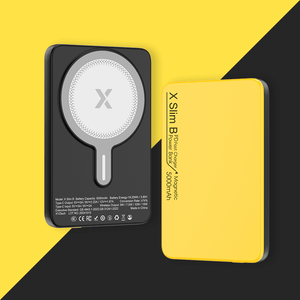
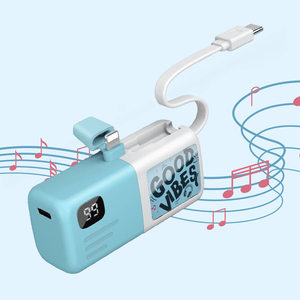
- Use reliable chargers and power banks. Low-quality charging accessories can deliver unstable power, which makes your battery work harder and heat up. A good charger or power bank provides consistent, controlled energy.
- Avoid using your phone in hot environments. Heat from your surroundings adds to the heat generated inside your phone. Using your device in direct sunlight or hot spaces makes overheating much more likely.
- Clean charging ports regularly. Dust or debris in charging ports can interfere with proper charging, causing inefficiency and additional heat during power transfer.
- Monitor battery health. As batteries age, they become less efficient and generate more heat. Keeping track of battery condition helps you catch problems early.
Small adjustments like these make a big difference over time.
When to Be Concerned (and Consider Replacement)
It’s important to know when overheating is no longer just a minor issue.
- Your phone feels too hot to hold. This usually means internal components are under serious stress. It’s beyond normal usage heat.
- You see overheating warnings. Modern phones are designed to alert you when temperatures are unsafe. These warnings shouldn’t be ignored.
- Performance drops suddenly. If your phone slows down when it gets hot, it’s likely “thermal throttling”, a protective feature that reduces performance to prevent damage.
- Battery drains unusually fast. Excessive heat often goes hand-in-hand with battery issues, since both are tied to how hard the phone is working.
- Heat happens even when idle. If your phone heats up while doing nothing, it may indicate background issues, battery problems, or hardware faults.
What this may indicate
- Battery failure – especially in older devices
- Hardware issues – such as processor or internal component problems
- Defective unit – particularly if the phone is new and consistently overheating
At this stage, getting a professional check—or considering replacement—is the safest move.
Frequently Asked Questions
How do I get my phone to stop being hot?
Start by stopping anything that adds heat, like charging or heavy apps, and give your device a short break. Reducing brightness, closing unused apps, and switching to Airplane Mode can quickly lower activity inside the phone. Letting it rest in a cool place helps it return to a normal temperature safely.
How do I fix my phone overheating?
Begin by removing the case and pausing charging so the device can cool naturally. Shut down background apps and reduce system load by limiting active features like GPS or Bluetooth. If the issue keeps coming back, checking battery condition or updating software can help address the root cause.
Should I be worried if my phone is hot?
Mild warmth during regular use is expected, especially during streaming or charging. However, if the heat becomes uncomfortable or happens frequently, it may point to deeper issues like battery wear or software problems. Keeping an eye on patterns helps determine if action is needed.
When to be Concerned
If your phone displays temperature warnings, shuts down unexpectedly, or becomes too hot to touch, it’s best to stop using it immediately. Let it cool down completely before turning it back on. Repeated overheating usually means a component needs repair or replacement.

So, Why Is My Phone Hot? A Quick Recap.
In most cases, the answer to why is my phone hot comes down to background apps, multitasking, charging habits, or environmental factors that push your phone to work harder than expected.
Key Takeaways
Warm phones are normal, but excessive heat is not
- Background apps and multitasking are major hidden causes
- Charging habits and power sources matter
- Weak signal and 5G can increase heat
- Persistent overheating may require repair or replacement
If you’ve experienced this issue, feel free to share what worked for you, or any tips you’ve discovered. Your experience might help someone else figure out their own phone heating problem faster.
Related Articles
Phone Gets Hot When Charging? Causes, Dangers & Easy Fixes
Why Is My iPhone Hot? Causes & Fixes for Overheating Problems
Wireless Charger Overheat: Can It Explode? Causes & Safety Tips
How to Keep A Phone Battery Healthy: Top 10 Battery Care Tips


