

Guide to USB PD Protocol: Unraveling SPR vs EPR Difference

Remember the good old days when a single charger couldn't even power your phone and laptop simultaneously? Today, USB-C has flipped the script, but it's also created a new puzzle: why does your new 140W laptop charge slowly with your old 100W charger, and why do some USB-C cables just refuse to cooperate? The answer lies in the two power tiers of USB-C Power Delivery: Standard Power Range (SPR) and Extended Power Range (EPR).
For power bank users, laptop owners, gamers, and creative professionals running power-hungry devices, understanding this distinction isn't just geek trivia; it's a practical know-how that can save you frustration, money, and maybe even a fried device.
Let's unravel the USB PD protocol and understand the difference between SPR and EPR once and for all.
Let’s get started!
The Core Architecture of USB PD Protocol and Standard Power Range (SPR)
Before USB Power Delivery became the global standard, charging electronics via USB was a sluggish, fixed-voltage nightmare. Early USB ports delivered a meager 2.5W to 7.5W. If you wanted fast charging, proprietary protocols ruled the market, creating a messy web of wall warts that only worked with specific phone brands.
The USB PD Protocol changed everything by creating a dynamic, standard handshake mechanism between the power source (charger or power bank) and the sink (your phone or laptop). Instead of dumping raw current into a device and praying nothing explodes, USB PD allows both ends to negotiate safe voltage and current levels before a single high-wattage electron moves through the line.
Defining Standard Power Range (SPR)
Standard Power Range, or SPR, is the bedrock specification of the USB PD 2.0 and 3.0 standards. If you bought a USB-C device, charger, or power bank anytime between 2015 and 2021, you have been using SPR without even knowing it.
Under the SPR specification, the protocol operates at fixed voltage steps of 5V, 9V, 15V, and 20V, capped at a maximum current of 5 Amperes.
Since Electrical Power (P) is calculated as Voltage (V) multiplied by Current (I): P = V x I, the absolute ceiling for the Standard Power Range is strictly locked at:
20V x 5A = 100W
For years, 100 Watts was considered the absolute summit of USB-C power. It was more than enough to juice up ultrabooks, smartphones, tablets, handheld gaming consoles like the Steam Deck, and everyday external battery packs.
Key Characteristics of USB PD SPR:
- Maximum Wattage: Capped at 100W.
- Maximum Voltage: Capped at 20V.
- Maximum Current: 5A (requires an e-Marked cable) or 3A (up to 60W).
Primary Use Cases: Smartphones, tablets, thin-and-light laptops (e.g., MacBook Air, Dell XPS 13), camera batteries, and mainstream power banks.
The 100W Ceiling and Where SPR Reaches Limits
While 100W sounds like plenty of juice, modern computing hardware quickly outgrew SPR's upper boundaries. As mobile processors and graphics cards became more capable, high-end laptops demanded far more energy than 100 Watts could reliably furnish. This is where higher-wattage USB PD charging becomes increasingly important for demanding devices. Consider the reality for modern power users:
- Gaming Laptops: A mobile NVIDIA RTX 4080 or 4090 GPU combined with a high-tier Intel Core i9 or AMD Ryzen 9 processor can easily draw anywhere from 140W to 230W under heavy gaming loads.
- Creative Workstations: Video editors rendering 8K footage on a 16-inch MacBook Pro or mobile workstation need continuous high wattage so the system doesn't have to throttle processing speeds or drain the internal battery while plugged into the wall.
- Fast-Charging Power Banks: Massive 20,000mAh to 27,000mAh power banks require high input wattage so they can recharge in 30 minutes instead of three hours.
When plugging a 140W+ laptop into a 100W SPR charger, one of three frustrating scenarios occurs:
- Slow Charging / Throttling: The laptop limits its CPU/GPU performance to stay within the 100W budget.
- Battery Drain Under Load: The laptop draws 100W from the wall and pulls the remaining 40W–80W directly from its internal battery, draining the battery even while plugged in.
- Fallback Failure: The laptop refuses to accept the charger entirely, forcing you to carry a proprietary, heavy brick charger.
To break through this 100W ceiling without melting connectors or scorching cables, the USB Implementers Forum (USB-IF) had to rethink the underlying architecture of USB-C.
Unraveling Extended Power Range (EPR) and Where the Two Specifications Diverge
In 2021, the USB-IF announced the USB PD 3.1 specification, introducing Extended Power Range (EPR). EPR was built specifically to solve the high-power bottleneck, expanding the power capabilities of USB-C from 100W all the way up to a staggering 240W.
To put 240W in perspective, that is enough power to run high-end gaming rigs, professional studio monitors, heavy-duty power tools, and massive station-class power banks—all over a single, symmetrical USB-C connector.
The Electrical Engineering Breakthrough: Raising Voltage, Capping Current
How did engineers extra-charge USB-C without causing tiny physical ports to overheat? The answer lies in basic physics. Heat generation in an electrical conductor is proportional to the square of the current, expressed by Joule's First Law (Ploss = I2R). If you try to push 240W through a cable by keeping the voltage at 20V and cranking the current up to 12A, the resistive heat generated inside the cable and connector pins would literally melt the plastic housing.
To avoid thicker, dangerous, flame-retardant cables, the USB-IF kept the maximum current capped at 5 Amperes and scaled the Voltage upward instead.
|
USB Power Delivery Specification |
|
|
Standard Power Range (SPR) |
Extended Power Range (EPR) |
Voltage Scaling: (EPR introduced three new fixed voltage levels above 20V)
- 28V at 5A = 140W (commonly used by 16-inch laptops and ultra-fast power banks)
- 36V at 5A = 180W (ideal for mid-tier gaming laptops and compact desktop PCs)
- 48V at 5A = 240W (the maximum ceiling for high-performance hardware)
Adjustable Voltage Supply (AVS) vs. Programmable Power Supply (PPS)
In SPR, fine-tuned charging relies on PPS (Programmable Power Supply), allowing devices to request incremental voltage changes (usually in 20mV steps) between 3.3V and 21V to optimize battery thermals.
In EPR, this concept evolves into AVS (Adjustable Voltage Supply). AVS allows the device to dynamically request micro-adjustments in voltage anywhere from 15V up to 48V in precise 100mV increments. This fine control ensures that high-power devices get the exact voltage required by their internal battery management systems (BMS), reducing energy loss and heat generation inside the device.
Where SPR and EPR Diverge: The Hardware and Safety Barrier
It is crucial to realize that EPR is not just a software update—it is an entirely new physical and operational tier. You cannot simply download a firmware update to turn an SPR charger into an EPR charger. The two specifications diverge across four critical hardware pillars:
|
The 4 Pillars of EPR Hardware |
|||
|
Dynamic Handshake |
E-Marker Chips |
Arc Suppression |
Capacitor Volts |
1. Protocol Handshake and Entry/Exit Sequences
An EPR connection requires a strict, multi-step software handshake. When you plug an EPR-capable laptop into an EPR charger, they initially connect in standard SPR mode (20V or lower). Only after the host device verifies that:
- The power source supports EPR,
- The sink supports EPR, and
- The connecting cable is explicitly rated for EPR voltages,
...does the charger issue an "EPR_Mode_Enter" command. If any link in that chain fails, the system immediately drops back down to a safe SPR tier (maximum 100W or 60W).
2. E-Marker Chips and Cable Requirements
All USB-C cables carrying more than 3A (60W) require an E-Marker (Electronic Marker) chip embedded in the connector head.
- SPR Cables: E-Marked for up to 20V / 5A (100W max).
- EPR Cables: Must feature upgraded E-Marker chips explicitly coded to handle up to 53.2V / 5A to accommodate safety overhead for the 48V rail.
If you plug a 240W charger into a 240W laptop using an older 100W SPR cable, the E-Marker chip tells the charger, "Hey, I can only handle 20V!" The system safely caps output at 100W.
3. Electrical Arcing and Safety Mechanisms
When dealing with 48 Volts, unplugging a live cable creates a genuine risk of electrical arcing—a spark jumping across the air gap between the cable connector and the port pins as they disconnect. Repeated arcing burns tiny pits into gold-plated pins, degrading ports over time and potentially causing short circuits.
EPR hardware incorporates specialized Arc Suppression Snubber Circuits and modified pin design rules. During a fast unplug, the EPR protocol detects the physical disconnection of the CC (Configuration Channel) pins milliseconds before the power pins separate, killing high-voltage delivery in microseconds to prevent sparks.
4. Internal Component Tolerances
To support 48V safely, manufacturers must upgrade internal capacitors, power MOSFETs, and isolation transformers inside chargers, laptops, and power banks. Components built for 20V SPR (which typically use 25V or 30V rated capacitors) will fail catastrophically if exposed to 48V surge voltages.
Real-World Applications: Choosing Between SPR vs EPR USB-C Power Delivery
Now that we have dismantled the engineering behind SPR and EPR, let's talk practical application. What does all of this mean when you are standing in an electronics aisle, shopping online, or packing your bag for a trip?
Knowing whether you need SPR or EPR hardware saves you money, prevents performance bottlenecks, and guarantees your gear charges at full speed.
Understanding the Compatibility Matrix
The single most important rule of modern USB-C PD charging is that charging speed is governed by the weakest link in the chain. That chain consists of three distinct components:
- The Power Source (Wall Charger, Car Charger, or Power Bank)
- The Cable
- The Sink Device (Laptop, Phone, Console)
|
Power Source |
Cable Rating |
Device Capability |
Resulting Charging Speed |
Bottleneck / Notes |
|
140W EPR Charger |
240W EPR Cable |
140W EPR Laptop |
140W (EPR) |
Perfect match; maximum charging speed achieved. |
|
140W EPR Charger |
100W SPR Cable |
140W EPR Laptop |
100W (SPR) |
Cable bottleneck; E-Marker restricts system to SPR. |
|
140W EPR Charger |
240W EPR Cable |
60W Laptop |
60W (SPR) |
Device bottleneck; laptop only requests what it needs. |
|
65W SPR Charger |
240W EPR Cable |
140W EPR Laptop |
65W (SPR) |
Charger bottleneck; laptop charges slowly or throttles. |
|
100W SPR Charger |
60W (3A) Cable |
100W Laptop |
60W (SPR) |
Cable bottleneck; non-E-Marked cable restricts output. |
As shown in the matrix above, using a 240W EPR charger with a 100W SPR cable will never damage your device—the protocol’s handshake guarantees safety. However, you will be stuck at SPR speeds until you upgrade the cable.
Practical Buyer's Guide for Power Users
To help you audit your tech bag, here is how SPR vs. EPR applies across different user profiles, and where USB-C Power Delivery can make the biggest difference:
|
Power Demands by Device Category |
||
|
Smartphone / Earbuds / Handhelds |
15W - 45W |
Standard SPR |
|
Ultrabooks / MacBooks / Tablets |
60W - 100W |
High-Power SPR |
|
Creator Laptops / Fast Banks |
140W |
Entry EPR |
|
Gaming Rigs / Workstations |
180W - 240W |
Full EPR |
1. For Casual Tech Users and Smartphone Owners
Recommendation: SPR is all you need.
- If your gear consists of an iPhone or Android phone, iPad, wireless headphones, and a thin-and-light laptop like a MacBook Air or Dell XPS 13, your power demands top out between 20W and 65W.
- Investing in expensive 240W EPR cables and chargers won't charge your phone any faster than a quality 65W SPR charger.
2. For Creative Professionals and High-End Laptop Owners
Recommendation: EPR (Specifically 140W / 28V) is the new sweet spot.
- Laptops like the 16-inch Apple MacBook Pro (M1/M2/M3 Max) require 140W to utilize fast-charging features (0% to 50% in roughly 30 minutes).
- Look for multi-port GaN (Gallium Nitride) wall chargers and power banks that explicitly specify EPR 28V/5A (140W) output on at least one port. Pair them with cables marked "USB PD 3.1" or "240W Max".
3. For Gamers, Power Bank Enthusiasts, and Power-Demanding Workstations
Recommendation: Full 180W - 240W EPR Hardware.
-
If you run a high-performance gaming laptop or want to fast-charge high-capacity power banks that accept 140W+ input, you need full EPR support across your entire setup.
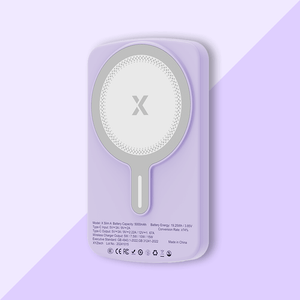
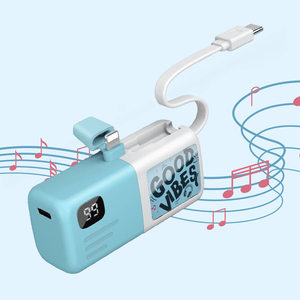
Pro-Tip for Power Banks: High-capacity power banks designed for enthusiasts now feature bidirectional EPR ports. This means the power bank can output 140W to a laptop and accept 140W input from an EPR wall charger, allowing you to recharge a massive 27,000mAh battery pack in under 40 minutes.


Final Thoughts
The introduction of Extended Power Range inside the USB PD protocol marks the final transition toward a truly universal cable standard. By scaling voltage up to 48V while keeping current locked at a safe 5A, EPR breaks through the historical 100W ceiling of SPR, bringing high-performance gaming laptops, creative workstations, and rapid-charging power banks into the USB-C Power Delivery ecosystem without thermal or safety compromises.
Understanding the distinction between SPR and EPR ensures you never fall victim to slow-charging warnings or waste money on incompatible gear again:
- SPR (Standard Power Range): Capped at 100W (20V/5A). Perfect for phones, tablets, ultrabooks, and everyday power banks.
- EPR (Extended Power Range): Scales up to 240W (28V–48V/5A). Required for high-end laptops, gaming rigs, and high-performance battery packs.
As EPR hardware becomes cheaper and more widespread, the promise made a decade ago is finally coming fully true: One charger, one cable, powering everything in your bag at maximum speed.
Frequently Asked Questions
Q: Does EPR charging always charge a device faster than SPR?
No. Charging speed depends on the maximum power the device can accept, not simply the charger's maximum output. An EPR charger will not make a 65W laptop charge at 240W.
Q: Do I need to buy new EPR power banks for my existing laptop, or will SPR ones work fine?
SPR power banks (up to 100W) will work perfectly fine for most ultrabooks and standard laptops. You only need an EPR power bank if your laptop specifically demands more than 100W to charge at full speed—otherwise, an SPR bank will charge it, just potentially slower.
Q: What is the physical difference between an SPR and EPR cable construction under the hood?
EPR cables feature reinforced internal wiring tolerances and higher dielectric insulation to prevent electrical breakdown at 48V. Additionally, EPR connectors use specialized flame-retardant housing materials and arc-resistant pin plating to protect against disconnect sparks.


