

Is It Bad to Charge Your Phone to 100%? What You Should Know

You charge your phone to 100% every night, but then you hear that stopping at 80% can make the battery last longer.
Does that mean you've been damaging your phone by fully charging it? Is it bad to charge your phone to 100%?
Charging your phone to 100% is generally safe, and doing it occasionally will not ruin your battery. However, lithium-ion batteries age over time, and regularly staying at a full charge for long periods can contribute to battery wear. Heat also plays an important role.
You do not need to follow a strict charging rule to protect your phone. Understanding when an 80% limit helps, and when a full charge makes more sense, can help you choose a routine that suits your needs.
In this blog:
- So, Is It Bad to Charge Your Phone to 100%?
- Is It Bad to Charge Phone to 100% Every Day?
- Is It Bad to Leave Your Phone Charging Overnight?
- What Matters More Than Charging to 100%?
- Is Charging to 80% Better Than Charging to 100%?
- How to Set an 80% Charging Limit on Your Phone
- When Should You Worry About Your Phone’s Battery Health?
- Frequently Asked Questions
Let’s get started!
So, Is It Bad to Charge Your Phone to 100%?
Most modern smartphones use lithium-ion batteries. These batteries gradually lose some of their ability to hold a charge as they age, even with normal use.
Keeping a lithium-ion battery at a high charge level for extended periods can contribute to this chemical aging. Heat can make the process worse, which is why a phone that regularly stays fully charged in a hot environment may experience more battery wear.
Hitting 100% vs. Staying at 100%: What’s the Difference?
There's a difference between charging your phone to 100%, unplugging it, and using it immediately versus leaving it fully charged for hours.
To understand your phone's battery, think of it like a rubber band.
- Reaching 100% is like stretching a rubber band all the way out, then letting it go. It experiences a brief moment of tension, but it relaxes immediately as you start using your phone
- Staying at 100% is like stretching that rubber band completely flat and holding it there for hours. Over time, the rubber band loses its elasticity and wears out.
The comparison isn’t a literal description of battery chemistry, but it illustrates an important point: reaching 100% isn’t the same as keeping the battery at 100% for long periods.
You don’t need to unplug your phone the instant it reaches full charge. Instead, focus on avoiding unnecessary time at a high charge level, especially when the phone is hot.
Is It Bad to Leave Your Phone Charging Overnight?
For most modern smartphones, overnight charging is generally safe when you use a compatible charger and the phone is in good condition. Phones manage the charging process and stop normal charging when the battery reaches its limit, rather than continuing to force power into a full battery indefinitely.
However, leaving a phone connected overnight can mean spending several hours at a high charge level. That may contribute to battery aging over time, particularly if the phone also gets hot.
To make overnight charging a better habit:
- Enable Optimized Battery Charging, adaptive charging, or a similar feature if your phone offers one.
- Keep the phone on a hard, well-ventilated surface instead of under a pillow or blanket.
- Use a compatible, reputable charger and cable.
- Avoid charging a phone that is unusually hot until it cools down.
You don’t need to stay awake to unplug your phone at 100%. If your phone supports an overnight charging optimization feature, let it manage the process.
What Matters More Than Charging to 100%?
Your charging limit is only one part of battery care. A few everyday habits can also make a difference.
1. Avoid excessive heat
Heat is one of the most important factors to manage. A phone can warm up while charging, particularly during fast charging or heavy use, but excessive or prolonged heat is more concerning.
If your phone becomes noticeably hot while charging, stop running demanding apps, move it away from direct sunlight, and let it cool. If it repeatedly overheats during ordinary charging, check the charger and cable and consider having the phone inspected.
2. Don’t routinely drain the battery to 0%
You don’t need to wait until your phone shuts down before charging it. Lithium-ion batteries don’t require full discharges to maintain their capacity.
Charging when convenient, including topping up during the day, is fine. Try to avoid leaving a fully depleted phone unused for a long time, especially if you plan to store it.
3. Don’t worry about fast charging unnecessarily
Fast charging isn’t automatically bad for your battery. Compatible phones and chargers regulate power delivery, and charging speed may slow as the battery fills or the phone warms up.
If you want to reduce heat, avoid intensive gaming or other demanding tasks while charging. If your phone regularly becomes excessively hot, investigate the cause rather than assuming fast charging alone is responsible.
4. Charge your phone before storing it for a long time
If you won’t use your phone for weeks or months, don’t store it fully charged or completely empty. Apple recommends storing an iPhone at around 50% charge for long-term storage.
For other brands, check the manufacturer’s storage recommendations. Keep the phone somewhere cool and dry, and check its charge periodically if it will remain unused for an extended period. Learn more here: How to Keep A Phone Battery Healthy: Top 10 Battery Care Tips
Is Charging to 80% Better Than Charging to 100%?
Generally, yes. Limiting your phone to around 80% can help reduce battery wear over time because the battery spends less time at a high charge level. However, that doesn’t mean charging to 100% is automatically harmful.
Here’s how the different limits compare:
|
Charging limit |
Best for |
Main trade-off |
|
80% |
People who want to prioritize long-term battery health and can charge regularly |
Less battery available each day |
|
90% |
People who want a balance between battery life and convenience |
Some extra wear compared with a lower limit may still occur |
|
100% |
Long days, travel, or times when access to a charger is limited |
Keeping the battery full for long periods may contribute to aging |
The ideal choice depends on your routine. If you usually finish the day with plenty of battery left and have easy access to a charger, an 80% limit may be worthwhile. If you regularly need nearly all your battery, charging to 100% is a reasonable choice.
Should You Follow the 20–80% Rule?
Not strictly. The 20–80% rule is a useful guideline, not a requirement for every phone owner.
Charging before your battery gets very low and avoiding unnecessary time at 100% can help, but there’s no need to keep your phone within that range all day. Modern smartphones manage charging automatically, and occasional full charges are fine.
Use the 80% limit if it suits your routine. If it leaves you short of power, charge higher without feeling that you’re doing something wrong.
How to Set an 80% Charging Limit on Your Phone
Some phones let you choose a maximum charge level. The exact options and menu names depend on your model and software version.
On an iPhone
On supported iPhone models:
- Open Settings.
- Tap Battery.
- Look for Charging or the charging limit controls.
- Select an available charge limit, such as 80%, if your model supports it.
Some iPhones offer a selectable charge limit, while other models or software versions may provide Optimized Battery Charging instead. If you don’t see the same options, check Apple’s support instructions for your specific model.
On a Google Pixel
On supported Pixel phones:
- Open Settings.
- Tap Battery.
- Look for Charging optimization.
- Enable the available charging optimization or charge-limit option.
The features available depend on your Pixel model and Android version. Some models offer charging optimization that manages how the phone reaches a full charge rather than a simple fixed 80% limit.
On a Samsung Galaxy
On supported Galaxy phones:
- Open Settings.
- Tap Battery.
- Find Battery protection.
- Choose the available protection mode that best fits your needs.
Samsung’s options vary by device and software version. Some versions provide a maximum charge limit, while others offer different battery-protection modes.
If you can’t find these controls, check your phone manufacturer’s current instructions. You can still charge your phone normally without a manual 80% limit.
When Should You Worry About Your Phone’s Battery Health?
Battery capacity naturally declines over time, so a lower battery-health reading doesn’t automatically mean something is wrong. How quickly your phone runs down also depends on screen brightness, apps, signal strength, and how heavily you use it.
Check your phone’s battery-health information if you notice a clear change, such as:
- The battery draining much faster than it used to under similar conditions.
- Unexpected shutdowns or performance problems.
- A battery-health warning or service recommendation from your phone.
- The phone becoming unusually hot during ordinary use or charging.
Around 80% maximum capacity is a commonly used reference point for considering battery replacement, but it isn’t a universal rule. Follow your phone’s own battery-health guidance and consider whether the battery still meets your needs.
A swollen battery is different from ordinary battery aging. If the phone or screen appears to be bulging, stop using and charging the device, and arrange professional service. Don’t press, puncture, or attempt to remove a swollen battery yourself.
Frequently Asked Questions
Will charging my phone to 100% damage the battery immediately?
No. Reaching 100% during normal charging won’t suddenly damage a healthy battery. The concern is the cumulative effect of spending long periods at a high charge level, particularly when heat is involved.
Should I unplug my phone as soon as it reaches 100%?
You don’t need to unplug it immediately. Modern phones manage charging, and features such as optimized charging can help reduce the time spent at full charge. Avoid leaving the phone in a hot or poorly ventilated place while it charges.

Is It Bad to Charge Your Phone to 100%? The Bottomline
So, is it bad to charge your phone to 100%? The answer is no. Charging your phone to 100% is generally safe, and you don’t need to worry every time the battery reaches full charge. For long-term battery health, the more useful habit is to avoid unnecessary time at a high charge level and keep the phone from overheating.
An 80% or 90% limit can help if you have enough battery for your daily needs. If you need a full charge for work, travel, or a long day away from a charger, use the extra capacity.
Key Takeaways
- Charging to 100% is generally safe. Occasional full charges are nothing to worry about.
- Time spent at a high charge level matters. Keeping the battery full for long periods can contribute to aging.
- An 80% limit is optional. Use it if it fits your routine, not because you must follow a strict rule.
- Manage heat. Keep your phone ventilated while charging and avoid prolonged exposure to excessive temperatures.
- Charge for your needs. You don’t need to drain the battery to 0% or unplug it the instant it reaches 100%.
The best charging habit is one that protects your battery without making your phone inconvenient to use.
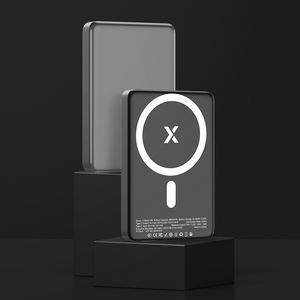
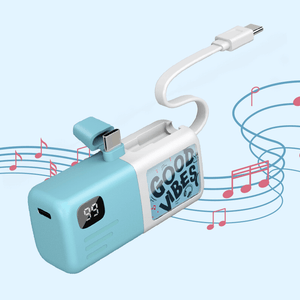
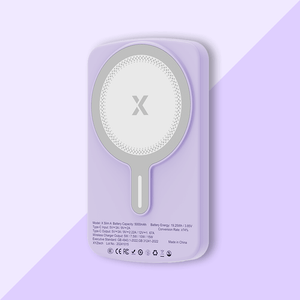
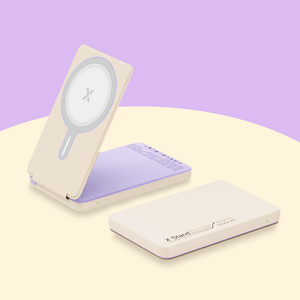
If you’re often away from a power outlet, carrying a power bank can help you keep your phone charged throughout the day without worrying about reaching 100% before you leave. XYZtech offers wired, wireless, and 2-in-1 power banks in 5,000mAh and 10,000mAh capacities, so you can choose one that fits your charging needs.
Related Articles
Is Fast Charge Bad for Your Phone? Facts, Myths, and Tips
Is Wireless Charging Bad for Battery? The Truth You Need to Know
Optimized Battery Charging: What It Is & Why It Matters
How to Keep A Phone Battery Healthy: Top 10 Battery Care Tips


