

MagSafe Charger Not Working? Why It Happens and How to Fix It

There is nothing more annoying than a dead battery and a charger that refuses to do its one job.
You snap your iPhone onto the magnet and wait for that familiar charging chime. Sometimes the icon pops up for a second… then vanishes. Other times, it stays connected but charges so slowly that your battery percentage hasn’t moved after thirty minutes.
If your MagSafe charger not working is ruining your day, you aren’t alone. Here’s what most people don’t realize: MagSafe isn’t just a magnet. It’s a system built on power negotiation, precise alignment, temperature control, and software management. If any one of these fails, even briefly, charging can stop, slow down, or behave unpredictably.
In this guide, we’ll troubleshoot the "why" and show you the "how" to get your power back on track.
In this blog:
- MagSafe Charger Not Working: Why It Happens
- How to Diagnose Why iPhone Wireless Charging Not Working
- Quick Fixes: How to Get Your iPhone Charging Right Now
- The Deep Dive: Why MagSafe Charger Not Working Still
- When to Seek Professional Help
- How to Prevent MagSafe Charging Problems
- Frequently Asked Questions
- MagSafe Charger Not Working? The Bottom Line
Let’s get started!
MagSafe Charger Not Working: Why It Happens
Think of MagSafe charging like a high-speed digital handshake. When you snap your iPhone onto the charger, four specific "links" in a chain must connect perfectly for power to flow:
- The Physical Link (Alignment): Built-in magnets snap the charger into the exact "sweet spot" where the internal coils line up.
- The Communication Link (Negotiation): The charger "talks" to your power adapter using the PD (Power Delivery) protocol to confirm it can provide enough wattage (ideally 20W or more).
- The Safety Link (Monitoring): iOS instantly checks your battery’s current health and temperature.
- The Active Link (Management): The system constantly adjusts the speed in real time to keep the phone from overheating.
If any link in this chain breaks, you’ll see the symptoms of a "failed handshake":
- Silence: No charging icon or chime at all.
- The "Start-Stop" Loop: Charging starts but disconnects a few seconds later.
- The Crawl: Your phone stays connected, but charges at an agonizingly slow pace.
Understanding this helps you realize that the reason an iPhone wireless charging not working isn't usually a "broken" charger, it’s often just one of these four steps being interrupted.
How to Diagnose Why iPhone Wireless Charging Not Working
Instead of trying random fixes, it’s more effective to observe how your iPhone behaves during charging. Small patterns, like when it charges, how fast it charges, or when it stops, often point directly to the root cause.
Here’s a simple way to interpret what you’re seeing:
- Charging is very slow - This usually points to a power or heat-related issue. The charger may still be working, but your iPhone is limiting speed due to low wattage, poor power delivery, or high temperature.
- Works on another iPhone - If your charger performs normally with a different device, the issue is likely within your iPhone, such as software behavior, alignment sensitivity, or internal components.
- Another charger works on your iPhone - This suggests your current charger or adapter is the problem, even if it looks fine externally. Internal wear or unstable power output can cause inconsistent charging.
- Removing the case fixes it - This clearly indicates an alignment or interference issue. Some cases block proper magnetic contact or trap heat, which interrupts charging.
- Works after unplugging the adapter - This is a strong sign of a power delivery reset issue. The adapter may have temporarily shut down and needed a reset to function again.
By paying attention to these patterns, you can quickly identify whether the issue is coming from your power source, charger, or iPhone, saving time and avoiding unnecessary replacements.
Quick Fixes: How to Get Your iPhone Charging Right Now
Before diving into deeper causes, try these simple checks. They often solve the issue immediately because they reset the most common failure points.
- Restart your iPhone. Temporary system glitches can interrupt how your phone detects the charger. A quick restart refreshes those processes and often restores charging.
- Unplug your adapter and wait 60 seconds. Modern USB-C adapters have internal PD (Power Delivery) controllers. If they detect unstable power or heat, they can silently shut down and appear “dead.” Unplugging fully and waiting allows the internal circuit to reset.
- Check all cable connections. Even a slightly loose connection between the cable and adapter can stop power delivery completely, even if everything looks connected.
- Remove your case and test again. Cases, especially thick or non-MagSafe ones, can interfere with alignment and heat dissipation.
- Clean the charger and your iPhone. Dust or tiny metal particles can block proper contact and trigger safety cutoffs.
- Try a different wall outlet. Sometimes the issue isn’t the charger, it’s unstable power from the outlet.
The Deep Dive: Why MagSafe Charger Not Working Still
If the quick fixes didn't work, the problem likely lies in how the power is being managed or delivered behind the scenes.
1. Power Supply Issues (Unstable or Insufficient Power)
MagSafe requires consistent, stable power. If your adapter or outlet fluctuates, charging may not start or may stop unexpectedly.
This often happens with:
- Low-quality adapters
- Extension cords or hubs
- Multi-port chargers that split power
Sometimes charging appears to work, but the battery barely increases. This is because the system drops to a lower wattage (like 5W–7.5W), making it seem like iPhone not charging with MagSafe.
How to fix it:
- Plug directly into a wall outlet
- Use a 20W+ USB-C PD adapter (higher for newer models)
- Avoid shared or overloaded power sources
2. PD Controller Crash (Why Resetting the Adapter Works)
Inside your adapter is a small chip that controls power delivery. When it detects voltage spikes, overheating, or electrical noise, it shuts down to protect your device.
From the outside, it looks like a MagSafe charger not working problem, but the adapter is simply “frozen.”
How to fix it:
- Unplug from the wall completely
- Wait at least 60 seconds
- Plug it back in
This drains residual power and resets the internal controller.
3. Insufficient Charger Output (Not All “Fast Chargers” Are Equal)
Many chargers claim to be fast, but without proper PD negotiation, MagSafe will reduce power or fail entirely.
This leads to:
- Very slow charging
- Charging that stops randomly
- No charging at all
How to fix it:
- Use a certified USB-C PD adapter
- Avoid USB-A chargers or cheap multi-port hubs
- Choose reliable, high-quality brands
4. Misalignment or Weak Magnetic Connection
MagSafe depends on precise coil alignment. Even a small shift can interrupt charging or cause heat buildup.
You might notice:
- Charging only works at certain angles
- You need to “adjust it just right”
- Charging starts and stops frequently
How to fix it:
- Remove your case and test
- Use a MagSafe-compatible case
- Let the phone snap into place naturally
5. Dust, Debris, or Metal Interference
Magnets attract tiny metal particles. Over time, these can build up and create a small gap between your phone and charger.
That gap weakens power transfer and can trigger safety features that stop charging.
How to fix it:
- Wipe the back of your iPhone
- Clean the charger surface
- Check for small metal particles
To learn more, check ou guide on How to Clean Charging Port on Phone
6. Heat and Temperature Protection
Wireless charging naturally generates heat. If your iPhone gets too warm, it will slow down or pause charging automatically.
This often feels like a MagSafe charger not working issue, but it’s actually a built-in safety feature.
Common triggers:
- Charging in hot environments
- Using heavy apps while charging
- Thick or heat-trapping cases
How to fix it:
- Charge in a cool, ventilated area
- Avoid heavy usage while charging
- Remove thick cases
7. Optimized Battery Charging (Charging Stops Around 80%)
Sometimes charging appears to stop around 80%, which can be confusing.
This is due to iOS learning your routine and delaying full charging to protect battery health.
How to fix it (for testing):
- Go to Settings → Battery → Battery Health
- Temporarily disable Optimized Charging
8. Software or Firmware Issues
MagSafe relies on iOS to manage power, heat, and accessory communication. Bugs or outdated software can interrupt charging.
This is why restarting sometimes fixes everything instantly.
How to fix it:
- Restart or force restart your iPhone
- Update iOS
- Leave accessories connected overnight for firmware updates
9. Charger or Cable Damage
Even if your charger looks fine, internal components can wear out over time.
Signs include:
- Charging only works at certain angles
- Intermittent connection
- Overheating
How to fix it:
- Test with another charger
- Replace if inconsistent
10. Internal iPhone Hardware Issues
If your charger works on other devices but not yours, the issue may be inside your iPhone.
Possible causes:
- Misaligned internal magnetic ring
- Damaged wireless charging coil
A key sign is needing to press your phone against the charger to make it work.
What to do:
Seek professional inspection.
When to Seek Professional Help
If your iPhone not charging with MagSafe continues after trying everything:
- No wireless charger works at all. This often indicates the internal charging coil has failed.
- Charging only works with pressure. This suggests a loose internal connection or a detached soldering point.
- Magnetic connection feels weak. If the charger slides off or barely sticks compared to when it was new, the internal magnetic array may have shifted or been damaged by a drop.
- Visible port or back glass damage. If the glass back of your iPhone is cracked, it can interfere with induction and even become a fire hazard.
- Excessive heat. If the phone gets dangerously hot within seconds of connecting, without actually gaining any battery percentage, there is likely a short circuit.
If you’re seeing these red flags, a trip to a certified repair shop is the safest next move. Trying to force a damaged charging system to work can lead to permanent battery degradation or worse.
How to Prevent MagSafe Charging Problems
Once your charging is working again, a few simple habits can make a big difference in keeping it that way. Most MagSafe issues don’t happen suddenly, they build up over time due to small factors like heat, dust, or inconsistent power.
-
Use Proper Charging Equipment
Using a reliable adapter and charger ensures your iPhone gets consistent power every time you charge. Lower-quality or incompatible accessories may work occasionally but often lead to slow or unstable charging over time. Choosing properly rated equipment helps avoid these fluctuations.
-
Keep Surfaces Clean
Because MagSafe relies on direct contact and magnetic alignment, even a thin layer of dust or tiny debris can interfere with charging. Regularly wiping both the back of your iPhone and the charger surface helps maintain a strong, stable connection.
-
Avoid Heat Build-Up
Heat is one of the most common reasons charging slows down or stops unexpectedly. Charging in cooler environments and avoiding heavy phone use during charging helps maintain steady performance and protects battery health in the long run.
-
Check Your Setup
Charging issues can develop gradually. A slightly loose cable, worn adapter, or aging charger might still work, but not reliably. Taking a moment to check your setup occasionally helps catch these small problems before they become frustrating interruptions.
-
Make Your Charging Setup More Reliable
If iPhone wireless charging not working persists, even after fixing it, it’s often not just the phone, but the power source you’re using every day.
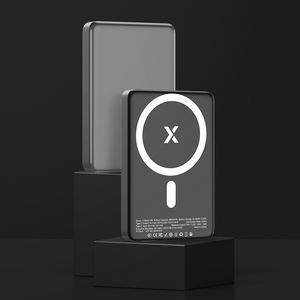
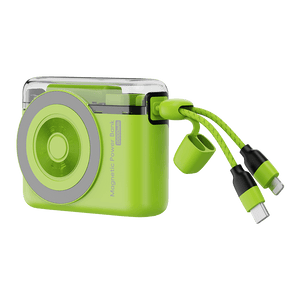
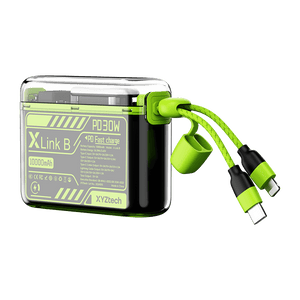
A stable, well-designed power bank can remove a lot of the guesswork, especially if you rely on wireless charging while moving around.
For lighter daily use, a 5,000mAh power bank is easy to carry and perfect for quick top-ups. If you need something that lasts longer throughout the day, a 10,000mAh option gives you more flexibility, and it’s still airline-friendly, making it a practical choice for travel without worrying about restrictions.
Frequently Asked Questions
How do I reset a MagSafe?
Start by completely unplugging the power adapter from its wall socket. Allow the unit to sit for about a minute to let the internal capacitors fully discharge and reset the safety circuitry. Once sixty seconds have passed, plug the brick back in and reconnect your iPhone to test the connection.
Why does my MagSafe Charger only work sometimes?
Inconsistent charging often stems from poor magnetic alignment between the internal coils. This usually happens if you use a thick, non-compatible case or a low-quality third-party charger with weak magnets. Additionally, physical debris or general wear on the charging surface can prevent the "handshake" required to maintain a steady power flow.
Can I leave my MagSafe charger charging all night?
While it is perfectly safe to leave your device connected overnight, removing it once fully charged is a good habit for long-term health. Modern iPhones utilize advanced power management to stop drawing current at 100%, effectively preventing any risk of overcharging. Because of these built-in protections, using MagSafe daily will not prematurely degrade your battery’s lifespan.
Is it normal for MagSafe to stop charging when hot?
Yes, this is a built-in safety feature. When the phone gets too warm, charging may slow down or pause to protect the battery. Once it cools down, charging usually resumes.
MagSafe Charger Not Working? The Bottom Line
A MagSafe charger not working issue is usually caused by power delivery problems, misalignment, heat protection, or software-related interruptions rather than a serious defect. These factors affect how your iPhone communicates with the charger, which is why charging may stop, slow down, or behave inconsistently.
Key Takeaways
- Resetting your wall adapter often clears hidden electrical glitches.
- If your battery isn't moving, the charger might be throttled rather than disconnected.
- Even a slight shift or a thick case can break the magnetic sweet spot.
- Your iPhone will intentionally stop charging if it gets too warm to touch.
- Tiny metal shavings or dust on the magnets can block the power flow.
Most of these problems may seem serious at first, but they’re usually caused by small, manageable factors. Once you understand how MagSafe works, getting your charging back to normal becomes much easier.
If your iPhone wireless charging not working issues persist despite these fixes, consider getting a wireless power bank to ensure your setup is getting the consistent juice it needs.
Related Articles
MagSafe vs Lightning vs Qi Charging: Which is Better?
Does MagSafe Work Through Cases? Find Out the Facts
MagSafe Charger Overheating: What’s Normal and When to Worry


