

MagSafe vs USB-C Charging: Which Should You Choose?

Charging your device shouldn't be confusing, but choosing between MagSafe and USB-C often is.
If you've recently bought a new iPhone or MacBook, you've probably wondered which charging method is faster and whether the difference really matters. The answer depends on the device you're charging and the accessories you're using.
In this guide, we'll compare MagSafe vs USB-C charging, explain what affects charging speed, weigh the pros and cons of each, and help you choose the option that best fits your needs.
In this blog:
- Understanding MagSafe vs USB-C Charging
- Is MagSafe Faster than USB-C?
- MagSafe vs USB-C Charging: What Actually Affects Charging Speed?
- Pros and Cons of MagSafe vs USB-C Charging
- MagSafe Charger vs USB-C: Which One Should You Choose?
- Tips for Faster and Safer Charging
- MagSafe vs USB-C Charging: The Bottom Line
Let’s get started!
Understanding MagSafe vs USB-C Charging
Although both MagSafe and USB-C charge your devices, they work in different ways and are designed for different purposes.
- MagSafe is Apple's magnetic charging technology. On iPhones, magnets built into the phone automatically align the charger, making it easy to snap into place. On compatible MacBooks, MagSafe connects to a dedicated charging port and safely disconnects if someone accidentally pulls the cable, helping prevent the laptop from being dragged off a desk
- USB-C is the charging port found on many modern smartphones, tablets, laptops, power banks, and other devices. Besides charging, it can also transfer data, connect external displays, and work with a wide range of accessories. Because so many devices use USB-C, one cable can often charge several gadgets.
The main difference comes down to convenience versus versatility. MagSafe is designed to make charging quick and easy with its magnetic connection, while USB-C is a more versatile option that can do much more than charge your device.
Is MagSafe Faster than USB-C?
The biggest question most people ask is whether MagSafe charger vs USB-C makes a noticeable difference in charging speed. The answer depends on the device you're charging.
- For most smartphones, including iPhones and many Android devices with USB-C, wired charging is generally faster than wireless charging. A direct cable connection delivers power more efficiently, while wireless charging naturally loses some energy as heat.
- For iPhones, USB-C is generally the faster option. A wired connection delivers power directly to the battery, allowing compatible iPhones to charge more quickly than MagSafe wireless charging. Under ideal conditions, newer iPhones can reach around 50% battery in about 30 minutes with a compatible USB-C power adapter.
- For MacBooks, the difference is much smaller. Most MacBook Air models charge at similar speeds whether you use MagSafe or USB-C, as long as you're using a charger and cable that provide the recommended power output. Some larger MacBook Pro models, however, support faster charging through MagSafe when paired with Apple's compatible high-wattage power adapter.
In short, USB-C is generally faster for smartphones, while most MacBooks charge at similar speeds with either method. Your device, charger, and cable ultimately determine how fast charging will be.
MagSafe vs USB-C Charging Quick Comparison
|
Feature |
MagSafe |
USB-C |
|
Charging Speed |
Good |
Usually Faster |
|
Data Transfer |
No |
Yes |
|
Compatibility |
Best with compatible Apple devices (some Qi2 devices also support magnetic charging) |
Works with many modern devices |
|
Convenience |
Excellent |
Very Good |
|
Travel-Friendly |
Good |
Excellent |
|
Uses a USB-C Port While Charging |
No |
Yes |
MagSafe vs USB-C Charging: What Actually Affects Charging Speed?
While the charging connector plays a role, it isn't the only factor that determines how quickly your device charges. Several components work together, and even small differences in your setup can affect charging performance.

- Device's charging limit is one of the biggest factors. Every iPhone and MacBook is designed to accept only a certain amount of power. Even if you connect a higher-wattage charger, your device won't draw more power than it safely supports.
- Power adapter also matters. Using a charger with lower wattage than recommended can slow charging, while a compatible charger allows your device to charge at its intended speed.
- Charging cable is just as important. Not all USB-C cables support the same level of power delivery. A lower-rated or poorly made cable can limit charging performance, even if you're using a powerful charger. Choosing a quality cable that matches your charger's output helps avoid this bottleneck.
-
Battery temperature and charge level naturally affect charging speed. If your device becomes too warm, it may temporarily slow charging to protect the battery. Charging also becomes slower as the battery approaches full capacity, which is why the last 20% usually takes longer than the first half.
Understanding these factors helps explain why two people using the same phone can experience different charging times, even when they appear to be using similar chargers.
Pros and Cons of MagSafe Charger vs USB-C
Choosing between MagSafe vs USB-C charging isn't just about charging speed. Both offer unique advantages, and the better option depends on how you use your devices every day.
MagSafe
Pros
- Magnetic connection snaps into place for quick, effortless charging.
- On compatible MacBooks, the cable disconnects safely if pulled, helping prevent accidental drops.
- Uses a dedicated charging port on MacBooks, keeping USB-C ports free for accessories.
Cons
- Generally slower than USB-C when charging iPhones.
- Best suited for compatible Apple devices.
- Supports charging only and cannot transfer data or video.
USB-C
Pros
- Usually provides faster charging for compatible iPhones.
- One cable can charge many devices, including phones, tablets, laptops, earbuds, and power banks.
- Supports charging, data transfer, and video output.
Cons
- Charging a MacBook uses one USB-C port.
- Charging speed depends on using a compatible charger and a quality cable.
MagSafe Charger vs USB-C: Which One Should You Choose?
When deciding between a MagSafe charger vs USB-C, the right choice depends on how you use your devices.
Choose USB-C if you:
- Want the fastest charging for your iPhone.
- Prefer carrying just one cable for multiple devices.
- Travel frequently and want to pack light.
- Need a cable that also transfers data.
Choose MagSafe if you:
- Like the convenience of magnetic charging.
- Want to reduce the risk of accidentally pulling your MacBook off a desk.
- Prefer keeping your USB-C ports free for other accessories.
- Mostly charge your device at home or in the office.
For many Apple users, the best solution isn't choosing one over the other. Using USB-C when you need faster or more versatile charging and MagSafe when convenience matters gives you the best of both worlds.
Tips for Faster and Safer Charging
No matter which charging method you use, a few simple habits can improve charging performance.
- Use a charger with enough power for your device. A charger with a lower wattage may charge more slowly than expected.
- Choose high-quality charging cables. Cheap or poorly made cables can limit charging speed or wear out quickly.
- Avoid exposing your device to excessive heat while charging. High temperatures may cause charging to slow down automatically to protect the battery.
- If possible, remove thick phone cases when using MagSafe chargers, especially if the charger struggles to align properly.
- Finally, remember that charging naturally slows down once your battery reaches around 80%. This is normal and helps extend battery life.
Frequently Asked Questions
Will MagSafe be discontinued?
No. Apple continues to support and improve MagSafe across its compatible devices. In addition to Apple's own products, the magnetic charging technology helped shape the Qi2 wireless charging standard, allowing more compatible devices and accessories to benefit from magnetic alignment and improved wireless charging performance.
Is MagSafe better than USB-C for battery health?
Not necessarily. USB-C wired charging is generally more energy-efficient because it produces less heat than wireless charging, and lower operating temperatures can help support long-term battery health. However, using MagSafe responsibly with a certified charger is also safe for everyday use, as modern devices automatically manage charging to help protect the battery.
Is it okay to use MagSafe every day?
Yes. MagSafe is designed for regular daily charging and is safe to use with compatible devices. For the best results, use a certified charger, avoid exposing your phone to excessive heat while charging, and keep Optimized Battery Charging enabled to help extend battery lifespan. If you use a pacemaker or another implanted medical device, follow Apple's safety recommendations and consult your healthcare provider, as MagSafe's magnets may affect certain medical devices when placed very close to them.
MagSafe vs USB-C Charging: The Bottom Line
When comparing MagSafe vs USB-C charging, there isn't a single winner for everyone. USB-C generally offers faster wired charging for iPhones, broad compatibility, and the convenience of using one cable across multiple devices. MagSafe, meanwhile, stands out for its magnetic convenience, dedicated charging port on compatible MacBooks, and practical safety features.
The best choice ultimately depends on your device, your charging habits, and whether you value speed, convenience, or versatility most.
Key Takeaways
- USB-C is generally faster than MagSafe for charging iPhones.
- Most MacBook Air models charge at similar speeds with either MagSafe or USB-C when paired with a compatible charger.
- Your charger, cable, and device all affect charging speed, not just the connector.
- MagSafe keeps USB-C ports free on compatible MacBooks and helps prevent accidental cable-related drops.
- USB-C is the better choice if you want one cable that works across multiple devices.
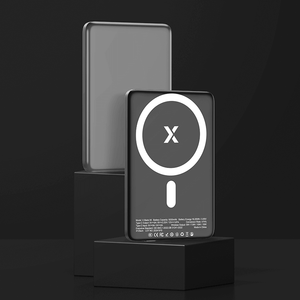
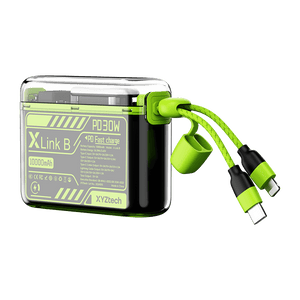
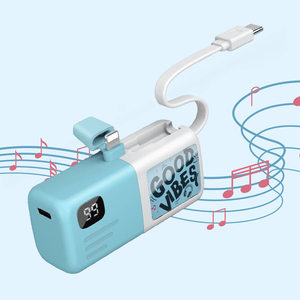
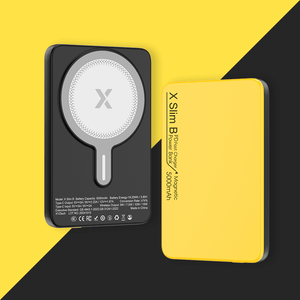
Whether you choose MagSafe or USB-C, having a reliable power source is just as important as choosing the right charging method. XYZtech's 5,000mAh and 10,000mAh power banks are available in both MagSafe-compatible models for wireless convenience or USB-C power banks, making it easy to keep your devices charged whether you're commuting, traveling, or working on the go.
Related Article
Does USB-C Charge Faster? Learn Why and What Factors Affect It
MagSafe Wireless Power Bank: The Upgrade You Can’t Miss!
USB-C vs Thunderbolt: What's the Difference for Charging?
What Are The Different Types of USB-C Cables? A Complete Guide


