

USB-A vs USB-C Difference: Which Connection Is Best For You?

You’ve probably experienced standing in a dimly lit room, wrestling with a rectangular USB plug, flipping it over once, twice, and then—on the third try—it finally slides in. That, my friend, is the quiet frustration of USB-A, one of the most common USB types in existence.
Now, imagine a different world. You pick up a cable, and it just... works. No squinting, no flipping, no praying to the tech gods. That’s the charm of USB-C, and it highlights the core USB-A vs USB-C cable debate: one is famously one-directional, while the other is reversible and user-friendly.
But is the newer, shinier USB-C always the right choice? Or does the classic, trusty USB-A still have a few good fights left in it? If you’ve ever stood in a store aisle wondering, “Wait, which cable do I actually need for my power bank?” or “Why is my new laptop charging so much faster than my old one?” — you are in the right place.
Let's settle the USB-A vs USB-C difference once and for all. In this guide, we'll break down and compare key aspects so you can stop guessing and start plugging with confidence.
Let’s get started!
USB-A vs USB-C Cable: The Fundamental Features
Before comparing performance, it helps to understand the two connectors at the center of the discussion. USB-A and USB-C are both part of the Universal Serial Bus ecosystem, but they were designed in different eras and for different technological needs. Each connector has its own physical design, capabilities, and role in how devices charge and exchange data. Knowing what each type is and how it works provides a clearer foundation for deciding which one suits your devices best.
What Is USB-A? The Reliable Classic
USB Type-A, commonly referred to as USB-A, is the traditional rectangular USB connector that has been around since the late 1990s. It’s the familiar plug found on most older chargers, computers, and accessories.
USB-A typically acts as the host-side connector, meaning it connects devices like smartphones, cameras, keyboards, or flash drives to larger systems such as laptops, desktop computers, or wall adapters.
Key Characteristics:
- Rectangular connector shape
- One-directional insertion (it only plugs in one way)
- Widely used across older and existing electronics
- Often paired with cables such as USB-A to Micro-USB, USB-A to Lightning, or USB-A to USB-C
Because it has been around for so long, USB-A remains extremely common in everyday environments. You’ll still find it on many laptops, car charging ports, TVs, gaming consoles, and power adapters. While reliable and familiar, its design and capabilities were built for an earlier generation of devices.
What is USB-C? The Versatile Future
USB Type-C, usually called USB-C, is the newer connector designed to modernize USB technology and support faster, more versatile connections.
Unlike USB-A, USB-C features a smaller, oval-shaped connector that is reversible, allowing users to plug it in either direction. This small design change eliminates one of the most common annoyances with older USB cables.
USB-C also introduces improvements beyond convenience. It supports higher power delivery, faster data transfer protocols, and additional functions such as video output.
Key Characteristics:
- Reversible, symmetrical connector
- Compact design suited for thinner devices
- Supports high-speed data transfer
- Enables fast charging with USB Power Delivery
- Can carry video and audio signals
Today, USB-C is widely used across modern devices, including smartphones, tablets, laptops, external drives, and portable chargers. Many newer electronics rely entirely on USB-C ports for both charging and data connectivity.
With a clearer picture of what each connector is and where it’s commonly used, it becomes easier to examine how they actually differ in performance, functionality, and everyday usability. Understanding the USB-A versus USB-C debate means looking beyond shape to see how each one handles real-world tasks.
USB-A vs USB-C Difference Explained: Side-by-Side Comparison
While both connectors serve the same general purpose—connecting devices for charging, data transfer, or accessories—they were designed for very different technological environments.
USB -A comes from a time when most devices needed simple connectivity. USB-C, on the other hand, was built to handle modern demands like fast charging, high-speed data transfer, and multifunction connectivity. Because of that, the differences between the two go beyond just their shape. Below are the main areas where USB-A and USB-C stand apart.
1. Physical Design and Ease of Use
The most noticeable USB-A vs USB-C difference starts right at the plug: one is an old friend you have to wrestle with in the dark, while the other slides in effortlessly on the first try.
- USB-A has the familiar rectangular shape that has been used for decades. While recognizable, it has one small inconvenience: it only fits in one orientation. Anyone who has tried to plug in a USB cable quickly has probably experienced flipping it over once or twice before it finally goes in correctly.
- USB-C was designed to solve the USB-A problems. Its small oval-shaped, symmetrical connector is fully reversible, meaning it can be inserted either way. This simple improvement makes connecting devices quicker and far less frustrating. It is also smaller and thinner, making it better suited for modern electronics like slim laptops, smartphones, and compact accessories.
Bottom line: USB-A works fine, but USB-C offers a more user-friendly and modern design.
2. Charging Speed and Power Delivery
Charging performance is one of the biggest reasons USB-C has gained popularity.
- Traditional USB-A ports were originally designed to provide limited power, mainly for small accessories and slower device charging. Most USB-A connections typically deliver between 2.5W and 12W, though some fast-charging technologies can push this slightly higher to 18W.
-
USB-C, however, was built with modern power needs in mind. Through a technology called USB Power Delivery (USB-PD), USB-C can deliver significantly higher wattage. This allows devices to charge much faster and even enables larger electronics to draw power through the same port. For example:
- Many smartphones now support 20W to 45W fast charging
- Tablets and portable gaming devices can charge at 30W or more
- Some laptops can charge entirely through 60W to 100W USB-C connections
This means a single USB-C charger can sometimes power multiple types of devices, from phones to laptops.
Bottom line: USB-C offers far greater charging potential and faster power delivery.
3. Data Transfer Speeds
Beyond charging, USB connections also determine how quickly files can move between devices. To truly appreciate the difference between USB-A and USB-C cable performance, it helps to look at the standards each one supports.
-
USB-A can support several generations of USB standards, including:
- USB 2.0: Up to 480 Mbps
- USB 3.0: Up to 5 Gbps
- USB 3.1: Up to 10 Gbps
These speeds are still sufficient for many everyday tasks such as transferring photos, connecting keyboards, or using flash drives.
-
USB-C, however, supports newer and faster protocols. Depending on the device and cable, it can handle standards like:
- USB 3.2
- USB4
- Thunderbolt (Thunderbolt 3 and Thunderbolt 4)
Some of these technologies can reach speeds of up to 40 Gbps, making them ideal for tasks such as transferring large video files, running external SSDs, or connecting high-performance accessories.
For users working with large files, media editing, or external storage devices, this difference can be significant.
Bottom line: USB-C provides much higher potential data transfer speeds.
4. Device Compatibility
Compatibility is one area where USB-A still holds a strong position.
-
Because USB-A has been the standard for many years, it appears on an enormous range of devices, including:
- Desktop computers
- Many laptops
- Smart TVs
- Game consoles
- Car charging ports
- Older wall chargers
This makes USB-A extremely useful for connecting legacy devices and accessories that people still use every day.
-
USB-C, meanwhile, is becoming the new universal standard, but adoption is still ongoing. Many modern devices now rely heavily on USB-C, including:
- New smartphones and tablets
- Ultrabooks and modern laptops
- External SSD drives
- Portable chargers and power banks
- Docking stations and monitors
In many cases, newer laptops are starting to include only USB-C ports, reflecting the shift toward this newer connection type.
Bottom line: USB-A remains widely compatible, but USB-C is quickly becoming the default for newer electronics.
5. Versatility and Functionality
Another area where USB-C stands out is its versatility.
-
USB-A connections are mainly used for two functions: charging devices and transferring data between peripherals and computers. They work well for those purposes but have limited additional capabilities.
-
USB-C expands what a single port can do. Through different modes and protocols, USB-C can handle several types of connections at once. For example, USB-C can support:
- Video output to monitors and TVs
- Audio transmission
- External storage devices
- Docking stations for laptops
- High-speed networking adapters
This means a single USB-C port on a laptop can connect to a multiport hub that powers the device, connects external displays, and links multiple accessories simultaneously. This level of flexibility simply wasn’t part of the original design of USB-A.
Bottom line: USB-C is built to handle more tasks through one connection.
6. Long-Term Relevance
Another practical consideration is future-proofing. This is where the difference in USB-A and USB-C becomes most visible over time, as one connector looks backward while the other looks forward.
- USB-A is still widely used and will likely remain around for years because so many devices rely on it. However, most new technologies and device designs are moving toward USB-C.
- Manufacturers are increasingly adopting USB-C because it supports faster charging, higher performance, and a cleaner universal standard. Some regions have also begun encouraging USB-C as a standardized charging port for consumer electronics. As a result, USB-C is expected to become the dominant connector for future devices.
Bottom line: USB-A represents the legacy standard, while USB-C represents where device connectivity is heading.
USB-A vs USB-C Pros and Cons Overview
|
USB Type |
Pros |
Cons |
|
USB-A |
✔ Extremely common and widely compatible |
❌Non-reversible connector |
|
USB-C |
✔ Reversible plug for easier connection |
❌Not supported on some older devices |
USB-A versus USB-C: Which One Is Best For You?
After comparing their design, charging capabilities, and performance, the next question is simple: which one should you actually use?
In deciding between USB-A vs USB-C cable, the answer depends largely on the devices you already own and how you plan to use them. USB-C offers faster speeds and more versatility, but USB-A is still widely used and remains practical in many everyday situations. Here’s a quick way to decide.
👉Stick With USB-A If Your Setup Still Relies on It
USB-A continues to work perfectly well for many common devices, particularly older electronics and simple accessories. You’ll likely want to keep using USB-A if:
- Your car has USB-A ports. Many vehicles from around 2019 or earlier rely on USB-A for systems like Apple CarPlay or Android Auto.
- You’re charging small accessories overnight. Earbuds, older phones, and other low-power devices don’t necessarily need fast charging.
- You use basic peripherals. Accessories like wired keyboards, mice, and flash drives commonly use USB-A and don’t benefit much from USB-C.
- Your power bank only has USB-A output. Even if you use a USB-C cable, charging speed will still be limited by the USB-A port.
In these situations, USB-A remains a simple and reliable option.
👉Choose USB-C for Modern Devices and Faster Charging
If your devices are relatively new, USB-C is usually the better choice. USB-C makes the most sense if:
- Your phone, tablet, or laptop uses USB-C ports. Most devices released in the last few years are designed around it.
- You want faster charging. USB-C with Power Delivery can significantly reduce charging time.
- You prefer fewer cables while traveling. One USB-C charger can often power multiple devices, including laptops and tablets.
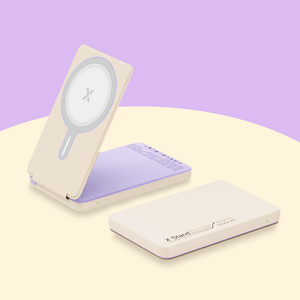
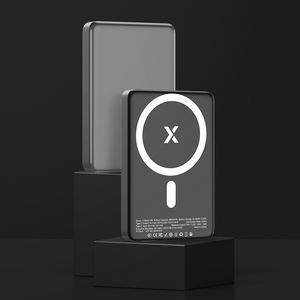
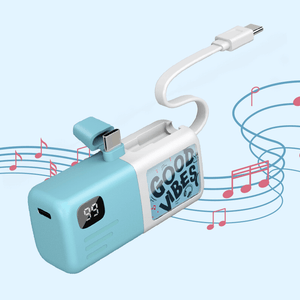
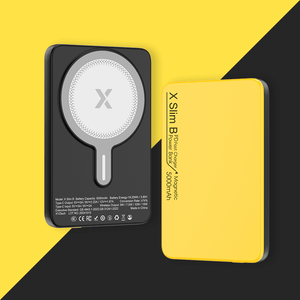
- You’re buying a new power bank. Modern portable chargers typically include USB-C for both input and output to support faster charging.
For newer electronics, USB-C offers better performance and greater future compatibility.
👉The Practical Middle Ground: Use Both
For most people, the smartest approach is simply using both connections where they make sense. Technology is currently in a transition period. You might have a USB-C laptop but still use USB-A accessories. In that case:
- Use a USB-C hub or docking station. These devices plug into a USB-C port and provide additional connections like USB-A ports, HDMI, and SD card readers.
- Keep a few USB-A to USB-C cables on hand. These cables allow newer devices to charge from older USB-A chargers, car ports, or power banks. Just keep in mind that charging speed will be limited by the USB-A end of the connection.
This flexible setup lets you enjoy the speed and convenience of USB-C while still staying compatible with older devices.
Final Thoughts
Understanding the USB-A vs USB-C difference doesn’t require a deep technical background. At its core, the comparison comes down to design, speed, power, and compatibility.
USB-A remains widely used and reliable, especially for older devices and simple connections. But USB-C brings major improvements in charging speed, data transfer performance, and overall versatility. When deciding between USB-A vs USB-C cable to reach for, consider not just your current devices but also what you might upgrade to next year.
If you’re buying cables, chargers, or a power bank today, choosing USB-C when possible is usually the smartest move. It ensures faster performance, broader functionality, and better compatibility with modern devices. And perhaps most importantly, it means you’ll never again have to flip a USB cable three times just to plug it in. Which, honestly, might be the biggest upgrade of all.
Frequently Asked Questions
Q: Will USB-A eventually disappear?
USB-A will likely remain in use for many years because of the huge number of existing devices that still rely on it. However, most new electronics are gradually shifting toward USB-C as the primary connection standard.
Q: Are all USB-C cables the same?
No, USB-C cables can vary significantly in terms of power delivery and data transfer capability. Some cables support high-speed data transfer and fast charging, while others are designed mainly for basic charging.
Q: Does using a USB-C to USB-A adapter slow down my charging speed?
Yes, it likely will. The adapter limits your connection to the slower USB-A standard, so you won't get fast charging or high-speed data transfer even if your device and charger support USB-C's full capabilities. Think of it as a funnel—the narrow USB-A end restricts the flow.


