

Wattage for iPhone Charger Guide: What's Safe and Fast?

Is 20W enough for your iPhone, or should you buy 30W, 40W, or even 100W?
With different salespeople, videos, and charger labels giving different answers, choosing the right wattage for iPhone charger can be confusing, especially if you're worried that a higher-wattage charger could damage your battery.
The good news is that you don't have to buy the biggest charger available. The right choice depends on your iPhone model, how quickly you want to charge, and whether you want the charger to power other devices too.
In this blog:
- Wattage For iPhone Charger: First, What Does It Mean?
- iPhone Fast Charging Wattage: How Many Watts Do You Really Need?
- Does Higher Wattage Hurt Your Long-Term Battery Health?
- Can You Use a Lower-Wattage Charger?
- How to Protect Your Battery Health While Fast Charging
- What About the Charging Cable?
- Frequently Asked Questions
- So, How to Choose the Right Wattage for iPhone Charger?
Let's get started!
Wattage For iPhone Charger: First, What Does It Mean?
The wattage printed on a charger tells you how much power it can provide, not how much power it automatically sends to your iPhone.
For example, a 60W USB-C charger can provide up to 60W, but your phone won't simply take all of it. To achieve your maximum iPhone fast charging wattage, the phone and charger must communicate using a system called USB Power Delivery (USB-PD) to determine exactly how much power the phone can safely handle.
So, Is a Higher-Wattage Charger Safe for an iPhone?
Yes. A higher-wattage charger can be safe to use with an iPhone when it is compatible and meets the appropriate safety standards.
A higher-wattage charger doesn't automatically overload your iPhone. If you already have a compatible 60W or 100W USB-C charger, you can generally use it instead of buying a lower-wattage one solely because you're charging an iPhone. Apple also confirms that iPhones can be charged with USB-C power adapters designed for iPad and Mac.
The important part is to choose a reputable, compatible charger that meets applicable safety standards. Wattage alone doesn't determine whether a charger is safe.
iPhone Fast Charging Wattage: How Many Watts Do You Really Need?
The best wattage for c charger depends on your model and how quickly you want to charge. You do not need to stress about matching your charger to an exact maximum number; instead, use Apple's recommended guidelines to find the perfect iPhone fast charging wattage for your daily routine.

So, should you buy 20W, 30W, or 40W?
The ideal wattage for iPhone charger setups depends entirely on which phone you own.
For most people, 20W is a perfectly sensible choice for an iPhone that supports Apple's 20W fast-charging requirement. If you want a little more flexibility, 30W is a good everyday option, particularly if you also use the charger with other accessories or devices.
If you have an iPhone 17, 17 Pro, or 17 Pro Max and want Apple's fastest advertised wired charging, go with 40W or higher.
A higher-rated charger doesn't automatically make every iPhone charge faster. Your iPhone still determines how much power it can use, so buying a 100W charger solely to make a 20W-capable iPhone charge faster would generally be unnecessary.
For a simple buying decision:
- 20W: Best for straightforward iPhone fast charging.
- 30W: A versatile choice if you want extra capacity.
- 40W+: Recommended if you have an iPhone 17 series model and want its fastest advertised wired charging.
- 60W–100W: Useful mainly if you want one charger for your iPhone plus other higher-powered devices.
So if you have a particular iPhone model, check that model's charging specification rather than assuming every iPhone has the same maximum.
Tip if You Charge Several Devices
If you regularly charge an iPhone alongside an iPad, Apple Watch, or another device, a 45W or 65W multi-port USB-C charger can be a practical choice. The extra capacity gives you more flexibility without requiring a separate wall adapter for every device.
Does Higher Wattage Hurt Your Long-Term Battery Health?
Not by itself. Using a higher-wattage charger does not automatically damage your iPhone's battery. However, charging can produce heat, and prolonged exposure to excessive heat can contribute to faster battery aging.
This means you don't need to avoid a 30W, 40W, or even 60W charger simply because you're worried about the wattage. What matters more is using a quality, compatible charger and keeping your iPhone from getting excessively hot while charging.
Your iPhone also manages charging automatically. Charging can slow as the battery gets fuller, and iOS includes features such as Optimized Battery Charging and, on supported models, a charge limit to help reduce battery wear over time.
If your iPhone becomes unusually hot while charging, move it to a cooler place and avoid heavy use until it cools down. You don't need to choose the lowest-wattage charger just to protect your battery.
Can You Use a Lower-Wattage Charger?
Yes, although charging your device will take longer. Using a lower wattage for iPhone charger tasks will not automatically damage your iPhone. The main drawback is simply that it cannot provide enough power to trigger fast-charging speeds.
For example, Apple notes that wired chargers providing 7.5W or less can result in slower charging.
That's why an old 5W charger can still be useful for slow or overnight charging, but a 20W-or-higher USB-PD charger is a better choice when you need to refill the battery quickly.
How to Protect Your Battery Health While Fast Charging
If you want to maintain your iPhone's maximum capacity for years without giving up the convenience of a high-wattage charger, practice these healthy habits:
- Avoid Heavy Activity: Do not play graphics-intensive games, stream high-definition videos, or use GPS navigation while your phone is fast-charging. Combining high power intake with heavy processing creates a thermal double-whammy.
- Mind the Case: If your iPhone regularly feels hot to the touch while plugged into a 30W+ charger, remove bulky, thick, or rubberized protective cases during charging sessions to allow heat to dissipate.
- Enable Smart Features: Keep Optimized Battery Charging or the Clean Energy Charging settings toggled on (found under Settings > Battery > Battery Health & Charging). This allows iOS to learn your daily routine and delay charging past 80% until you actually need it.
- Keep it Cool: Never leave your iPhone fast-charging in direct sunlight, on a car dashboard, or tucked under a pillow or blanket while you sleep.
To learn more, check our guide here: How to Keep the iPhone Battery Healthy: Top 8 Proven Tips
What About the Charging Cable?
The cable doesn't have to have the exact same wattage rating as the charger. A cable's wattage rating indicates how much power it is designed to carry. It does not force that amount into your iPhone.
For example, if you want to hit your maximum iPhone fast charging wattage using a 30W charger, a cable rated for 60W or even 100W works perfectly. The higher-rated cable simply has more than enough capacity to handle the power passing through it.
For faster wired charging, Apple recommends:
- iPhone 15 and later: USB-C to USB-C cable.
- iPhone 14 and earlier: A USB-C to Lightning cable.
Apple also recommends a USB-C Power Delivery adapter for faster wired charging. If you're buying a cable, focus on quality, compatibility, and an appropriate power rating rather than trying to find a cable with exactly the same wattage as your phone.
You can learn more here: MagSafe vs Lightning vs Qi Charging: Which is Better?
Frequently Asked Questions
Is 60W-100W too much for an iPhone?
No. A compatible 60W or 100W charger can safely charge an iPhone because the phone does not automatically consume the charger's full rated output. The higher number represents the charger's available capacity, so using a higher-rated adapter does not mean the iPhone is being overloaded.
Is charging to 100% bad on an iPhone?
Charging your iPhone to 100% is not inherently harmful. However, keeping a lithium-ion battery at a very high charge level for long periods can contribute to battery aging over time. If you're concerned about long-term battery health, use Apple's charging-management features and avoid excessive heat.
What's the healthiest way to charge your iPhone?
Use a reputable, compatible charger and cable, and try to keep the phone from becoming excessively hot while charging. You can also use Apple's optimized charging or charge-limit features where available. You don't need to follow a strict percentage every time you charge; consistent heat management and appropriate charging equipment are more practical priorities.
So, How to Choose the Right Wattage for iPhone Charger?
The wattage for iPhone charger you need depends mainly on your iPhone model and how quickly you want to charge. For many compatible iPhones, 20W is enough for fast charging, while 30W or more can provide additional flexibility for newer models and other devices.
Understanding your specific iPhone fast charging wattage limits helps ensure you get a charger that is fast, safe, and efficient.
Key Takeaways
- Your iPhone controls how much power it accepts; a higher charger rating doesn't automatically overload it.
- 20W is enough for fast charging many iPhones.
- 30W is a practical everyday choice if you want more flexibility.
- iPhone 17, 17 Pro, and 17 Pro Max can use 40W or higher for Apple's fastest advertised wired charging.
- 60W–100W chargers can be safe when they are compatible and meet the appropriate standards.
- Your cable doesn't need to match the charger's wattage exactly.
The goal isn't to find the biggest charger, it’s to find one that suits your iPhone and the way you charge it.
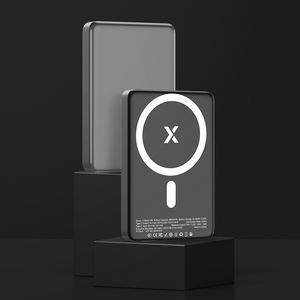
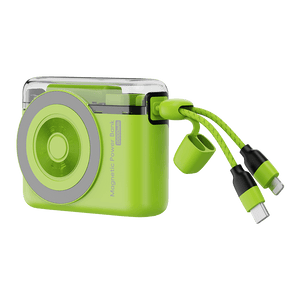
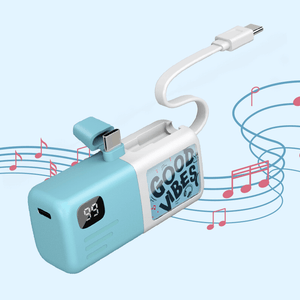
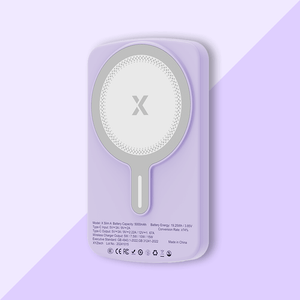
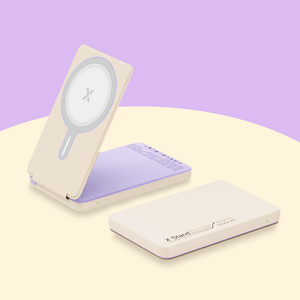
If you often need to recharge away from an outlet, a 5,000mAh or 10,000mAh power bank can also be a convenient backup; XYTech offers wired, wireless, and combination options so you can choose what fits your charging routine.
Related Articles
Watt vs Watt-Hour: Why It Matters to Understand Battery Specs
Are All USB-C Cables Fast Charging? USB-C Charging Explained


